Gaming Clip Tool: Pulling Highlights Out of Long Sessions
Updated
Five hours, eight moments
Gaming VODs are the worst signal-to-noise ratio in clipping. A five-hour stream might contain eight genuinely postable moments — a clutch, a fail, a reaction, a bit that goes off the rails — separated by hours of queueing, loading, and pleasant nothing.
Which is also why the source pool is so good. Almost nobody mines it properly, because scrubbing five hours to find eight moments is miserable work that most people quit after a week. The material accumulates daily whether or not anyone clips it.
If you can shorten the finding step from hours to minutes, gaming becomes one of the highest-yield niches available to a clipper. That is the whole proposition.
The two problems gaming clips have that podcasts don't
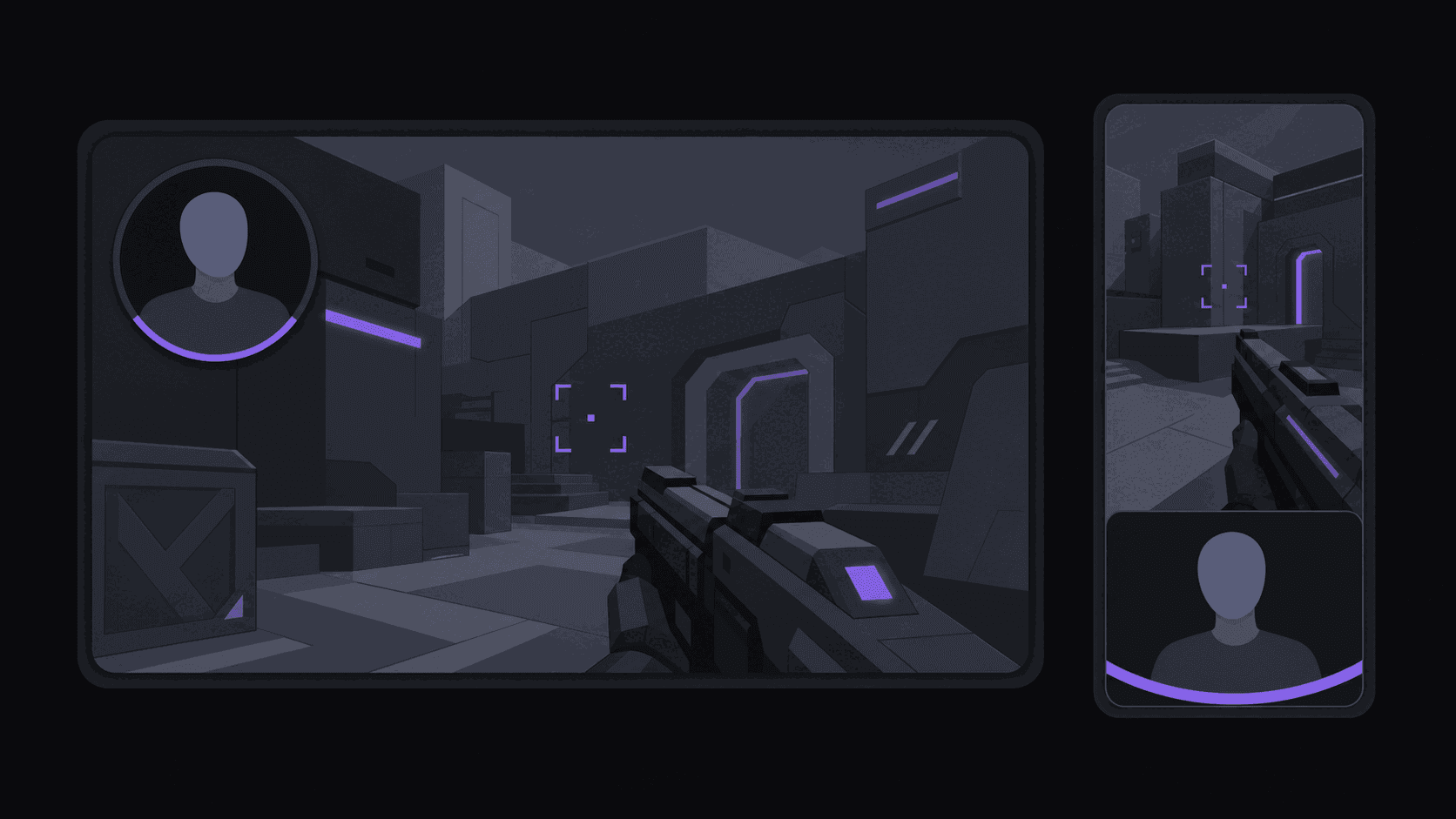
The facecam problem. Gaming footage has two subjects: the gameplay and the streamer's reaction. A standard 9:16 crop forces you to pick one, and picking gameplay throws away the reaction that makes the clip funny. Facecam split layouts keep both — reaction stacked over gameplay — which is the format that actually performs on short-form. Tools that only offer a center crop are quietly unusable for this content.
The audio problem. Game audio, voice, alerts, and often music are all competing. Captions matter more here than on a podcast, because the line that makes the clip land is frequently shouted over an explosion. Word-synced captions are not decoration on gaming clips; they are how the joke survives.
There is a third, smaller issue: copyrighted music playing during a stream travels into your clip and can trigger claims on the platforms you post to. Check what was playing before you post a clip you care about. Copyright-safe music for clips covers the options.
Working from VODs instead of scrubbing
The workflow for stream sources is different from a single YouTube upload, and better.
Point channel monitoring at a public Twitch or Kick channel and new VODs get clipped without you submitting anything — 1 monitored channel on Starter, 3 on Pro, 10 on Scale. For a streamer who goes live daily, that means clips waiting for you every morning rather than an evening of scrubbing.
The credit math on streams is unusually favorable. Credits map to source minutes, but for Twitch and Kick VODs only the highlight segments that get pulled bill against your balance — a multi-hour stream typically runs 35–90 credits rather than the several hundred a minute-for-minute count would suggest. On Pro's 500 credits that is a lot of stream.
Source length caps are two hours on Starter, five on Pro, and ten on Scale, which matters more for gaming than for any other niche — plenty of streams run past the Starter ceiling.
Choosing what to clip
Source selection decides more of your outcome than editing does.
Mid-size streamers beat huge ones. A channel with eight accounts already clipping it every day gives you nothing to differentiate on. A rising streamer with almost no clip coverage is where the actual opportunity sits. Spotting streamers before they blow up goes into the signals worth watching.
Reaction-heavy beats mechanically impressive. A perfect play means little to someone who does not play the game. A genuine scream of frustration is legible to everyone. Cross-game appeal is what gets you out of your niche's ceiling.
Kick is underserved. Fewer clippers work it than Twitch, and the VOD supply is real. If you are starting now, that asymmetry is worth more than picking a bigger platform. See why Kick is easy to grow on.
One honest caution: gaming is a competitive clipping niche, and posting a batch of automated clips from a heavily covered streamer will not do much. The tooling removes the labor. It does not remove the need to pick a source nobody else is picking.
Frequently Asked Questions
It surfaces the moments that read as high-energy — reactions, sudden volume changes, laughter, sharp shifts in the action — and ranks them. It is reliable on reaction-driven content and weaker on mechanically impressive plays that need game knowledge to appreciate. Expect a shortlist you edit down rather than a finished set.
Facecam split layouts stack the reaction over the gameplay so both stay visible in a 9:16 frame, rather than cropping to one and losing the other. That is the format most gaming clips need, and it is where a plain center crop fails.
Yes — both, from public VODs, including automatic monitoring so new streams get clipped without submission. Stream sources bill only the highlight segments pulled, so a multi-hour VOD typically costs 35–90 credits.
Reaction-heavy formats travel furthest: battle royales, horror, chaotic multiplayer, and anything with a high failure rate. Slow strategy games and long-form RPGs produce fewer moments that work cold to a viewer who does not play them.
Norms vary and you should check the individual streamer. Many actively encourage clip channels and some run content-reward campaigns that pay for it. Reuploading long unmodified segments is a different thing from clipping and is where people run into trouble.
Related Articles
See also
Stop scrubbing five-hour VODs
Monitor a Twitch or Kick channel and get facecam-split, captioned clips from every stream. Multi-hour VODs typically cost 35–90 credits.
Get started for free