YouTube to Shorts: The Pipeline That Actually Runs in 2026
Updated
Two Shapes, Very Different Ceilings
Long video in, vertical shorts out. Everyone agrees on the inputs and outputs; the disagreement is about what sits between them.
The manual pipeline is a person: watch the source, pick the moments, cut each one, reframe it, caption it, upload it through YouTube Studio. Call it 25–30 minutes per clip once you are fast. The quality ceiling is high because a human catches the joke that lands visually. The volume ceiling is low — 10 to 15 clips a week before it stops being sustainable.
The automated pipeline is software watching channels for you. Hands-on time drops under a minute per clip. Quality lands close to manual on speech-driven sources and noticeably below it on visual comedy. Volume is limited only by how much your source channels publish.
Most channels that last end up running both: automation for the steady flow, hands-on editing for the two or three clips a week that deserve it. This guide walks the automated shape, stage by stage, so you know what you are buying and what you are giving up. If you want the tool-shopping version instead, the comparison covers that.
Stage 1 — Watching the Sources
It starts with a list of channels. Yours, if you are clipping your own long-form. Someone else's, if you are running a clip channel.
Three things have to work here. New uploads need to be noticed within minutes, not hours. Scheduled premieres need to be ignored until the content actually exists, or you get an empty job. And channels that both livestream and post edited highlights need routing, because the raw four-hour archive and the 45-minute edit are both "new" and you almost never want clips from both.
The practical consequence for you: you register a channel once and never visit it again. On AutoClip, Starter watches one channel, Pro watches three, and Scale watches ten. That number is worth thinking about before you pick a plan — most clip channels stabilize around five to eight sources, enough to keep a daily posting cadence alive when one source goes quiet for a week. Setting up monitoring takes a couple of minutes per channel.
Stage 2 — Picking the Moments
This is the stage that decides whether the whole thing was worth it.
The weak version scans for excitable words — "insane," "crazy," "nobody talks about this" — and cuts around them. You get volume and a hit rate that embarrasses you.
The version worth paying for evaluates a candidate the way an experienced editor would, on questions you can check yourself:
- Does the opening second give someone a reason to stay?
- Does it stand on its own, or does it need five minutes of setup you cannot include?
- Is there a payoff — a punchline, a reveal, a number that lands?
- Does the delivery change? A pause before a hard answer is a signal a transcript alone will never show.
- Is the subject something your audience actually cares about, as opposed to generally interesting?
AutoClip shows you its answer to all five as a visible score breakdown per clip, which is the part that matters: you can disagree with it, and you can tell within a week whether it disagrees with you in a consistent direction. A tool that hands you a single mystery number gives you nothing to argue with.
Expect around nine clips from a typical video, fewer from a source with a lot of dead air, more from a dense two-hour interview. Clip caps per video run 6 on Starter, 12 on Pro, 15 on Scale.
Stages 3 and 4 — Framing and Captions
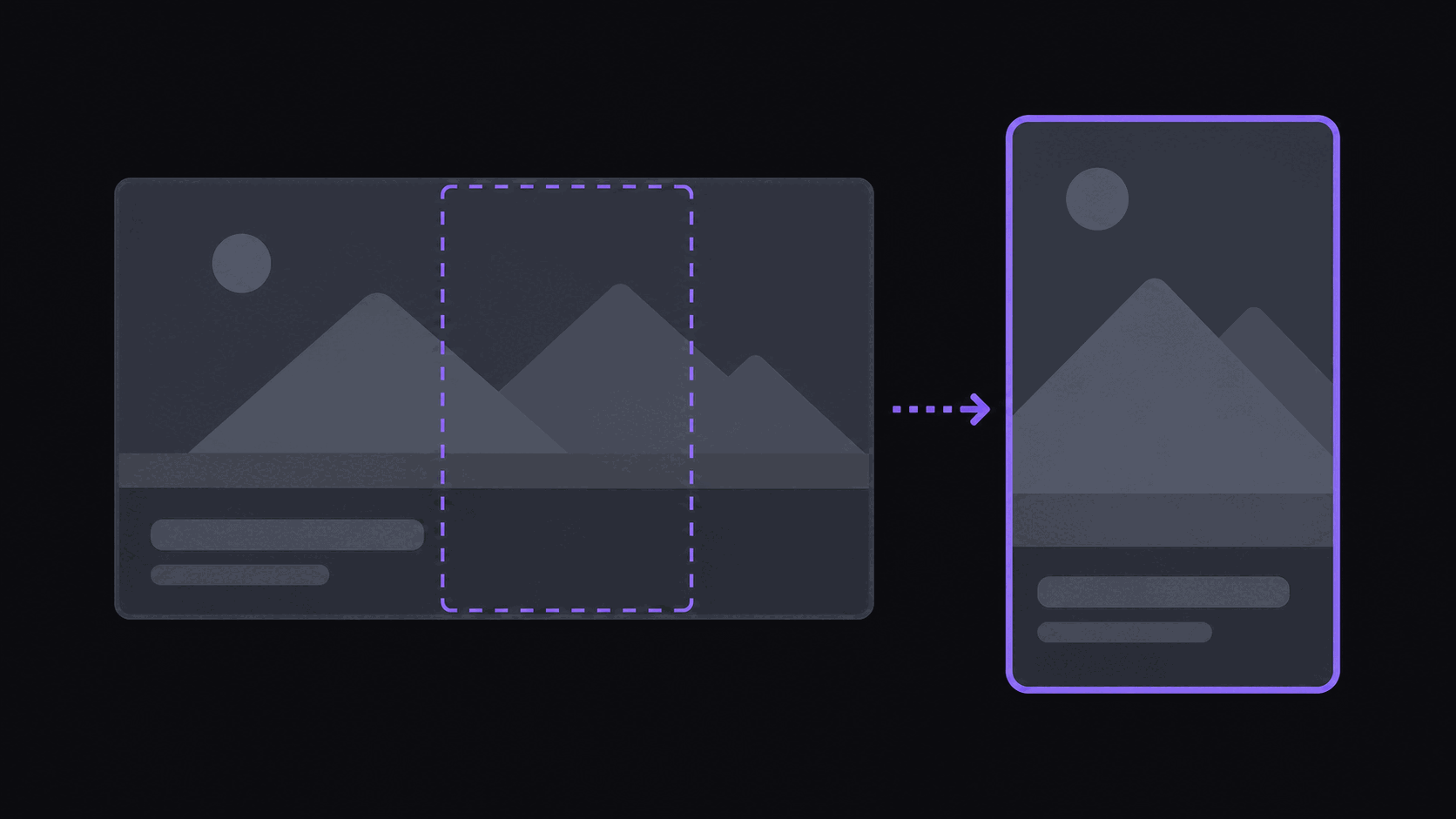
YouTube long-form is wide. Shorts is tall. Something has to give, and the choice matters more than people expect.
Center crop keeps the middle and throws away the rest. It is fine for a single centered speaker and terrible for a two-host podcast where nobody sits in the middle.
Speaker-following crop moves the frame to whoever is talking. This is the default worth using for interviews and podcasts. Cuts land on speaker changes rather than mid-sentence, which is a small thing that makes clips read as edited rather than sliced.
Split layouts stack two regions — facecam above, gameplay or screen share below. This is the right answer for gaming and for anything where the visual is doing half the work. Scale plans support multi-region layouts for busier sources.
Blurred fill keeps the original frame intact and pads above and below. Use it when cropping would destroy information, like a chart or a wide sports shot. It reads as lazier, so use it deliberately.
Captions ride on word-level timing, animate in sync with speech, and support emoji. Styles cover karaoke, pop, and bounce. Honest assessment: caption quality has converged across serious tools. It is table stakes now, not a differentiator, and any comparison that leads with caption styling is padding. If you want the detail, the caption guide covers what actually varies.
Stage 5 — Publishing, and the Failure Nobody Notices
The last stage puts the finished clip on your accounts. Title, description, hashtags, and a posting time — spaced out rather than dumped all at once, because five clips landing in the same minute is a pattern platforms notice.
AutoClip posts to 9 short-form destinations. Reddit, Snapchat, and Twitch are not supported, so if those are core to your distribution, plan around it.
The failure mode to actually worry about: a disconnected account. Social platforms expire authorizations on their own schedules, and a pipeline that quietly stops publishing looks exactly like a pipeline that is working until you check your analytics two weeks later and find a flat line. Whatever tool you use, glance at the posting log weekly. It takes ten seconds and it is the single highest-value habit in this entire workflow.
The other recurring problem is length. A four-hour stream will produce more candidate moments than you should ever publish. Take the top handful and let the rest sit in the backlog for a quiet week. Posting 40 clips off one stream is how a channel reads as a farm. Posting cadence is worth more thought than most people give it.
Frequently Asked Questions
You could, and a handful of engineers do. The individual pieces exist. The work is not the pieces — it is the year of edge cases: channels that publish three kinds of video, expiring stream archives, platform authorizations that lapse, fast speakers who break caption timing. Most people who start this project end up maintaining it instead of running a channel. If you enjoy the maintenance, it is a real option. If you want clips, it is not.
Yes, once the stream ends and the VOD is available. Clipping mid-stream is possible in theory and worse in practice, because judging whether a moment is the best one in a stream requires having seen the whole stream.
About five minutes of processing for a typical video, plus whatever spacing you set on the posting schedule. Source length dominates: a 20-minute episode finishes quickly, a four-hour stream takes proportionally longer.
Yes, and most channels do. The video is the same; only the description and timing differ. AutoClip cross-posts to 9 destinations with per-platform scheduling so the same clip does not land everywhere in the same second.
Broad, undifferentiated clip channels are saturated. Channels with a specific angle — one creator, one sub-topic, a translation layer, a faster turnaround than everyone else covering the same source — still find audiences. Before you launch, search your planned angle on TikTok and Shorts. If ten accounts are already doing exactly it, pick a different angle rather than a different tool.
Related Articles
See also
The Whole Pipeline, Hosted
Register your YouTube sources once. AutoClip handles detection, clip selection, 9:16 framing, captions, and posting to Shorts and 12 other destinations.
Get started for free