How to Pick Gaming Channels Worth Clipping (and Spot the Duds)
Updated
Stop Asking Which Channel and Start Asking Which Ratio
Every list of "best gaming channels to clip in 2026" makes the same mistake: it ranks by audience size. Audience size is close to the least useful signal available to you.
The channel with fifteen million subscribers has four thousand people clipping it. Your clip of the exact moment everyone else clipped enters a feed already saturated with that moment. You are competing on packaging alone, against people who've been packaging that source for two years.
What actually predicts whether a source is worth your time is a ratio: clippable moments per hour, divided by the number of people already clipping it. A streamer with 80,000 followers who produces six genuinely funny reactions per stream and has eleven clippers is a far better business than a superstar with a thousand.
So rather than naming channels that will be stale by the time you read this, here's the evaluation method — apply it yourself, in whatever game and language you actually watch.
The Five-Point Source Test
Score a candidate channel on these before you commit a month to it.
1. Reaction density. Watch one full stream or two full uploads. Count the moments that would work with zero context. Fewer than four per hour and the source is a grind no matter how big it is. Personality-driven players beat silent skilled players every time on this axis.
2. Clipper saturation. Search the creator's name on TikTok and YouTube. Count how many dedicated clip accounts come up and how recent their posts are. Twenty active accounts means you're late. Two or three means there's room.
3. Upload rhythm. A source that publishes daily gives you a sustainable pipeline. One that uploads twice a month leaves you dry. Streamers beat uploaders here purely on volume.
4. Stance on clipping. Some creators actively encourage clip channels and even run campaigns; others issue takedowns. Ten minutes of searching answers this and can save you a channel.
5. Audio and layout quality. Clear mic, readable facecam placement, minimal overlay clutter. A source with a facecam buried under four alert boxes is more work per clip forever.
A source that scores well on four of five is worth building around. One that scores well only on audience size is a trap, and it's the trap most beginners walk into.
Where There's Still Room
Broad patterns that tend to hold, without pretending any specific channel stays hot for long.
Horror and reaction-driven play. The genre generates involuntary reactions, which is exactly what short-form rewards. Jump scares are self-contained by construction.
Competitive shooters. Clutch plays and catastrophic failures both clip cleanly, and the clip needs no explanation. High volume, high saturation — win on speed.
Sandbox and chaos games. Emergent absurdity, low context requirement, and a much smaller clipper population than the shooter scene.
Non-English sources. Substantially underserved. A creator with a large audience in Portuguese, Japanese, or Spanish often has almost no English-language clip presence. Caption translation in 31 languages and dubbing in 25 of them are available on Pro, which makes this workable in a way it wasn't a couple of years ago. See how to clip international videos.
VTuber content. A distinct scene with its own norms and a genuinely engaged audience. Translation-heavy, community-sensitive, and rewarding if you're actually part of it. VTuber clip channel guide covers the etiquette.
Retro and niche titles. Small audiences, near-zero clipper competition, very loyal viewers.
Where it's hardest: the top five most-clipped creators in any given month. Everyone starts there because they're visible. That's precisely why you shouldn't.
Running Five Sources Without Losing Your Week
One source is a single point of failure. Five is a business. The difference is workflow.
Watching five channels manually is not viable — you'd spend the day scrubbing footage. Point channel monitoring at each source and new uploads and stream VODs get clipped automatically, so your job becomes reviewing candidates rather than hunting for them.
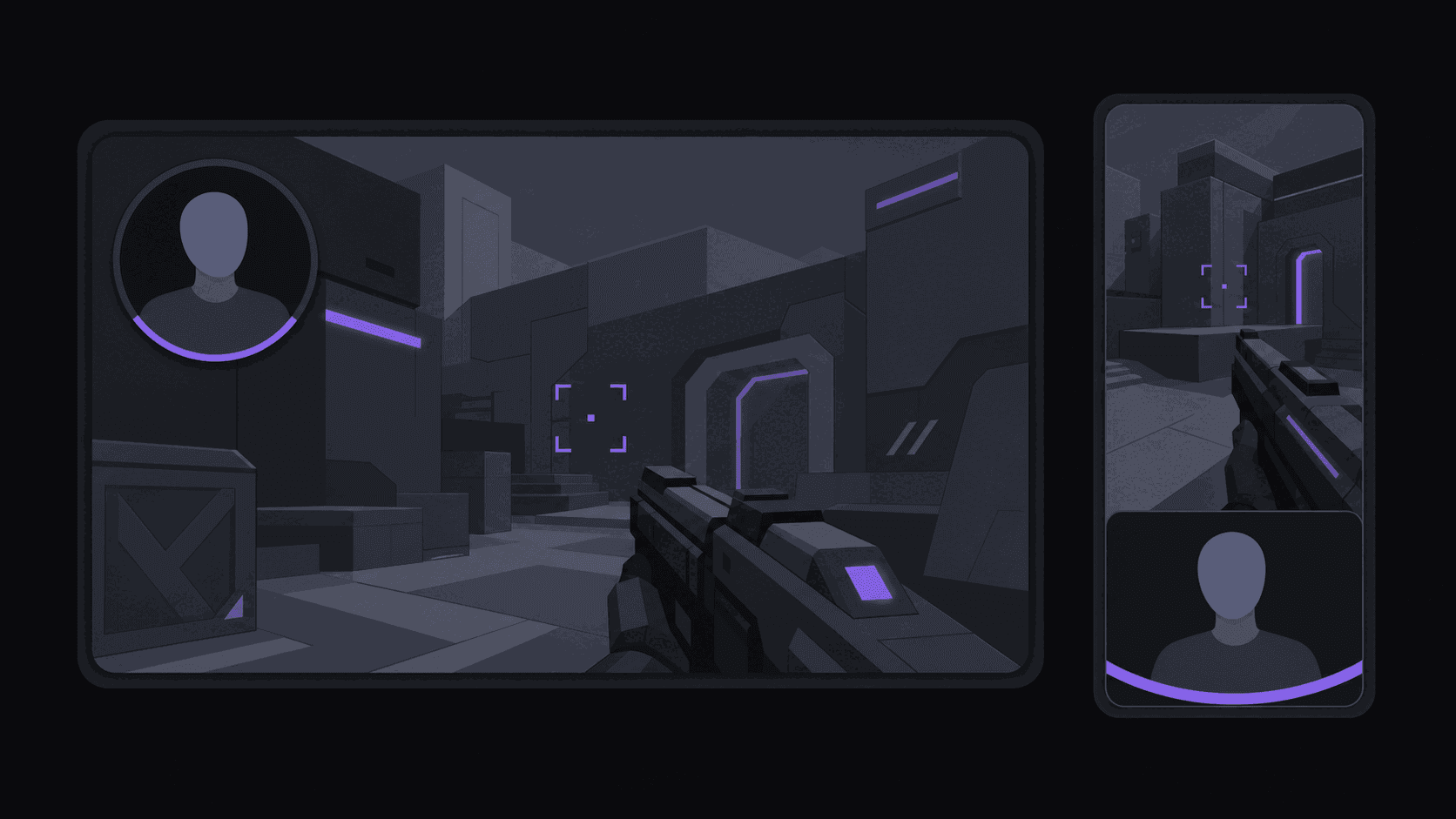
For gaming specifically, the layout question is the one that determines whether clips look professional. A naive vertical crop of a 16:9 stream either loses the facecam or loses the gameplay, and you need both — the reaction is the joke, the gameplay is the setup. A facecam split layout keeps both readable on a phone, and it's handled automatically for gaming sources in AutoClip rather than being a manual keying job per clip.
Volume math, since it decides your plan: around nine clips come back from a typical video in about 5 minutes; multi-hour streams take proportionally longer. One credit is one source minute, but stream VODs bill only their top highlight segments, so a long stream typically runs 35–90 credits. Starter's 200 credits covers a couple of sources; Pro's 500 with three monitored channels covers a real multi-source operation; Scale's 1200 with ten monitored channels is for people running several channels at once.
Diversify deliberately: two high-volume streamers for daily material, two mid-size personalities for less crowded clips, one experimental source you're testing. Rotate the experimental slot monthly.
Rights, Claims, and Not Burning the Relationship
Gaming clips carry three overlapping risks and they're worth separating.
The creator. Most gaming creators welcome clip channels — it's free reach and many have grown from them. Some don't. Check their About page, their Discord rules, and any public statements before you build a channel on them. Credit them by name in every caption, every time.
The game publisher. Most publishers permit gameplay footage under public content policies. A minority are aggressive, and a few games have specific restrictions. Check before committing to a title, not after.
The music. The most common real-world claim source. Background music in a stream will get flagged regardless of your intent. Pick moments without music under them where you can. How to avoid YouTube copyright claims as a clipper has the practical checklist, and Content ID explained for clippers covers what happens when a claim lands.
The relationship point is worth stating plainly: a clip channel that credits the source, doesn't distort what was said, and drives real viewers back is an asset to the creator. Build that reputation and the door to paid work with the creator stays open. Farm rage-bait edits of the same person and it closes permanently.
Frequently Asked Questions
Payout depends far more on the campaigns available in that niche and on your volume than on the genre itself. Competitive shooters have the largest audiences and the fiercest competition; horror and sandbox content has better clip-to-effort ratios. Check what campaigns are actually running before you pick.
Search the creator's name on TikTok and count active dedicated clip accounts with recent posts. More than about twenty and you're arriving late. Under five and there's genuine room. This one search saves more wasted months than any other single check.
Most do, and many actively encourage it. A minority don't. It takes ten minutes to check their About page and Discord rules, and it's the cheapest risk reduction available. Always credit the source in the caption.
Three to five. One source means a dead week whenever they take a break. Beyond five, review time becomes the bottleneck unless you have help. Monitoring capacity is a plan question — one channel on Starter, three on Pro, ten on Scale.
Cropping so the facecam disappears. The reaction is why the clip is funny; without it you've posted twenty seconds of someone else's gameplay. Use a split layout that keeps the face and the game both readable on a phone.
Related Articles
Run five gaming sources on autopilot
Monitor multiple channels, get facecam-split vertical clips back automatically, and schedule them across 9 short-form destinations.
Get started for free