How an Auto Clip Maker Actually Works (No Hype Version)
Updated
Short answer: what an auto clip maker does
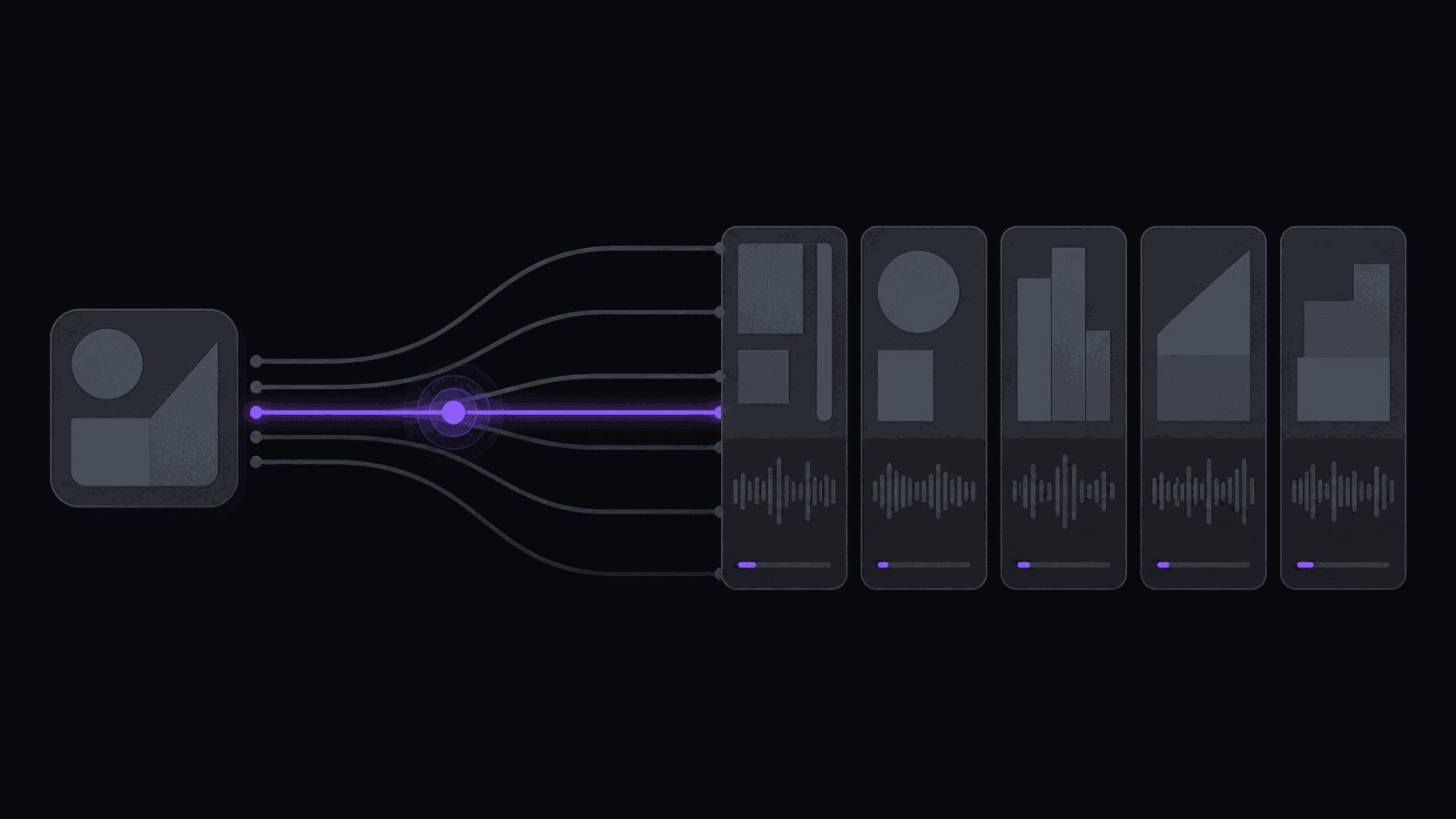
It watches for new source video, transcribes it, scores the transcript for self-contained moments, renders each one vertically with captions, and pushes the result to your social accounts.
Four separate machines, in other words, sold as one word. Most disappointment with the category comes from a tool that automates two of the four and leaves you doing the rest by hand. AutoClip runs all four, returning roughly nine clips from a typical video in about five minutes.
Key takeaways
The steps, in order
Each step can fail independently, so knowing which one broke is most of the debugging.
- Step 1. Ingest — a monitored channel produces a new upload, or you submit a source directly.
- Step 2. Transcribe — speech becomes a timed transcript, which is what everything downstream reads.
- Step 3. Select — the transcript is scored for moments that stand alone, then cut on sentence boundaries.
- Step 4. Render — each cut is reframed vertically, captioned, and encoded (720p by default, 1080p available on any paid plan).
- Step 5. Publish — approved clips are posted to connected destinations, or held for your review first.
"Automatic" Means Four Different Things
Before you compare tools, pin down which steps a given product actually removes. The word covers a wide range.
Auto-captioning. You still find the moment, mark the in and out points, and export. The tool writes the subtitles. This saves maybe ten minutes an episode.
Suggested timestamps. The tool hands you a list of candidate moments from a file you uploaded. You pick, export, and post everything yourself. Useful, but your day still scales with your upload count.
Upload-and-get-clips. You paste a link, wait, and download finished vertical clips. This is where most tools stop, and it is genuinely good for one video a week.
[channel monitoring](/blog/channel-monitoring-explained) end to end. You connect a source channel once. New uploads get clipped without anyone touching a keyboard, clips land in a queue, and approved ones post to your accounts on a schedule.
The gap between the third and fourth options is the one that decides whether your workload grows with your ambition. Everything before it is a faster editor. Only the last one is a system.
Step One: Something New Shows Up
With monitoring on, you never paste a URL again. You add a public YouTube, Twitch, or Kick channel and the work starts on its own when new content appears — a video goes up, a stream ends and its VOD lands.
This sounds minor until you count what it replaces. If you follow eight sources and want to be early on each, you are otherwise checking eight channels several times a day, every day, including the ones you would rather spend at a wedding. Being early is most of the advantage in clipping. A moment that has been circulating for two days is competing against everyone else's version of the same moment.
Plan limits control how many sources you can watch at once (see plans): one monitored channel on Starter, three on Pro, ten on Scale. Start with fewer than you think you want. Three sources producing clips you are proud of beats ten producing a queue you skim.
Step Two: Deciding What Is Worth Cutting
This is the part people call "the AI" and it is really one question asked over and over: would a stranger who has no context keep watching this?
A clip that works has a beginning that earns attention in the first two seconds, a middle that pays it off, and an end that lands rather than trailing into the next topic. A clip that does not work usually fails on one specific thing — it starts three sentences before the interesting part, or it cuts away before the punchline resolves, or it references something said twenty minutes earlier.
Good cut placement matters more than people expect. On a multi-person podcast, a cut that lands on a speaker change reads as intentional. A cut that lands mid-sentence reads as broken, and viewers bail. That single difference moves completion rate more than any caption style you could pick.
Expect around 9 clips from a typical video, though it varies with length and with how much genuinely usable material is in there. A tight interview yields more than a two-hour stream that was mostly loading screens. Per-video caps are 6 clips on Starter, 12 on Pro, and 15 on Scale.
Step Three: Making It Watchable Vertically
Source footage is wide. Phones are tall. Something has to give, and the naive answer — crop the middle — fails on most real content, because the person talking is rarely dead center and a gaming layout puts the facecam in a corner.
What works (reframing, if you want the term) is keeping the subject centered as the shot moves, so a speaker who leans back or a host who hands off to a guest stays in frame instead of drifting out of it. Gaming content gets a split layout that keeps both the play and the streamer's face visible, since the reaction is usually why the clip is worth watching at all.
Captions land word by word, in sync, in styles like karaoke, pop, or bounce, with emoji support. Most short-form is watched on mute, so this is not decoration — an uncaptioned clip loses a large share of viewers before the first sentence finishes.
On Pro and above you can layer on B-roll, background music, sound effects, and spoken hooks, plus caption translation in 31 languages and dubbing in 25 of them. Scale adds 4K export and multi-region layouts. If you have a look you want repeated, a brand kit saves the caption style, fonts, logo, and watermark so every clip matches without re-picking anything.
Step Four: Getting It Posted
The last mile is where a surprising number of clip operations quietly die. You have twelve finished clips and you are manually uploading them across three or four apps, writing captions, and trying to remember which ones already went out.
Automated posting takes approved clips out to 9 short-form destinations on a spaced schedule you set — active hours, minimum gaps, per-account caps. You are not posting on the platforms that are not supported, which is worth saying plainly: Reddit, Snapchat, and Twitch are not posting destinations.
Your remaining job is the approval pass. Skim the queue, reject the ones that miss, and rewrite the title on the two or three that look like they could break out. Everything else goes out as-is. Budget 20-40 minutes a day, most of it spent judging rather than producing.
End to end, a typical video is finished in around 5 minutes. Longer sources take proportionally more, and Starter caps source length at 2 hours, Pro at 5, Scale at 10.
Frequently Asked Questions
No. With a source channel connected, candidates are surfaced without any input from you. Your only manual step is approving what you want to publish, which takes seconds per clip once you know what your audience responds to.
Around 9 from a typical source, though a dense interview will produce more than a stream with long quiet stretches. Per-video caps are 6 on Starter, 12 on Pro, and 15 on Scale, so the plan sets your ceiling more often than the footage does.
Because a static center crop cuts the speaker out of frame the moment they move, and on gaming layouts it removes the facecam entirely. Keeping the subject centered as the shot changes is what makes a clip look deliberately shot for vertical rather than sawn out of a wide frame.
About five minutes for a typical video, from the moment new content is detected to clips waiting in your queue. Multi-hour streams and long uploads take proportionally longer because there is more footage to work through.
Related Articles
See also
Watch it run on your own footage
Connect one channel and see what comes back in about 5 minutes. The 3-day Pro trial exports clean, no watermark; plans start at $19.99/month after.
Get started for free