The Complete Guide to Clipping Twitch Streams in 2026
Updated
Six Hours of Source, Forty Seconds of Gold
A YouTube video is edited. Someone already removed the dead air, which is why a 20-minute upload has maybe nine usable clips in it and they are not hard to find.
A Twitch stream is raw. Six hours, unedited, with the good moments scattered across it at unpredictable intervals — and there might be twelve of them or there might be two. That is the whole difference, and it cuts both ways.
The bad: scrubbing a six-hour VOD manually is a genuinely miserable job, which is why most clippers avoid streams entirely.
The good: because most clippers avoid them, Twitch archives are the least-mined source material available. Thousands of hours per streamer, going back years, largely untouched.
There is also a timing dimension that YouTube does not have. Something happens on a live stream, chat reacts, and there is a window — often only a few hours — where clips of it can ride real search demand before the moment is everywhere. Being early on a stream moment is worth more than being early on an upload.
The VOD Problem Nobody Warns You About
Twitch VODs expire. Depending on the streamer's account status, a broadcast stays available for 14 or 60 days and then disappears. If you were planning to work a back catalogue, check first — for many streamers there isn't one.
This is the single biggest operational difference between clipping Twitch and clipping YouTube, and it drives three habits:
Work recent VODs first. Anything approaching the expiry window is a use-it-or-lose-it source.
Prioritize streamers who export to YouTube. Many upload full VODs or highlight reels to a second channel, which gives you a permanent archive with none of the expiry pressure. These streamers are worth more to you than equally good ones who don't.
Do not build a content plan around a streamer whose VODs vanish. You will run out.
Kick is worth mentioning here because its retention policies are generally friendlier and its streamer pool is far less clipped. Kick vs Twitch VOD availability covers the comparison, and why Kick is the easiest platform to grow on makes the case for splitting your attention across both.
Which Stream Niches Are Producing Clips
Not all of Twitch clips equally well. What you want is content where the moment is legible without knowing the context.
Reaction and commentary streams. The strongest category. The streamer's response to something is self-contained, emotionally clear, and needs no game knowledge. Consistently the highest-yield material on the platform.
IRL and just-chatting. Genuinely unpredictable, and unpredictability is where clips come from. No game literacy required from the viewer.
Variety gaming. Better than single-game specialists for clipping, because the funny moments come from the streamer rather than from mechanical skill the audience has to appreciate.
Competitive and esports. High skill ceilings produce genuinely impressive plays, but they only land with viewers who understand what they just saw. Narrower reach, more loyal audience.
Speedrunning. Excellent structure — attempt, tension, success or failure — and a built-in narrative in every run.
VTuber streams. Enormous and under-served, especially anything non-English where translation is the barrier. Caption translation in 31 languages and dubbing in 25 of them are available on Pro and above if you want to work that corner. See VTuber clip channel guide.
The general filter: if you have to explain the context for the clip to land, it will not land. Pick niches where the moment reads cold.
What Clipping a Stream Actually Costs
Credits are counted in source minutes for uploaded video, which would make a six-hour stream 360 credits — most of a Pro month for one broadcast. That is not how stream sources are billed.
For Twitch and Kick streams, only the top highlight segments are processed rather than the full runtime, so a multi-hour stream typically runs 35-90 credits. That is the difference between streams being unworkable and being the most credit-efficient source type available.
What that means in practice: on Pro's 500 credits you can work something like six to twelve multi-hour streams a month, plus regular uploads alongside them. On Starter's 200 credits, two or three streams. On Scale's 1200, you can run a serious multi-streamer operation.
Source length limits matter too. Starter caps sources at two hours, which excludes most full streams outright. Pro goes to five hours, Scale to ten. If streams are your primary source, Pro is the realistic entry point and Scale is where a multi-streamer operation lives. Pricing has the full comparison.
On turnaround: a typical video comes back in around 5 minutes. A six-hour stream takes proportionally longer — plan for it rather than expecting the same window. If you are chasing a moment while it is still hot, submit as soon as the VOD is available rather than waiting until you have time to review.
Running a Twitch Clip Operation
The workflow that scales looks like this.
Pick four to eight streamers, weighted toward ones who export VODs to YouTube. Fewer than four and your output dies whenever someone takes a week off. More than eight and you cannot review the output properly.
Put them on monitoring. New stream VODs get clipped without you watching for them, which is what makes this niche tractable at all — the whole reason clippers avoid streams is the scrubbing, and that is the part you should never be doing manually. How to set up channel monitoring walks through it.
Review, don't auto-post everything. Stream output is more variable than upload output. Expect to discard more. That is fine — the credits were cheap.
Post across TikTok, Shorts, and Reels. Note that you cannot auto-post back to Twitch, and Reddit and Snapchat are not supported destinations, so plan distribution around the platforms that are.
Credit the streamer, always. Streamers are the most clipper-friendly creator group on the internet because clips are how they grow, and the ones who notice you will often say so. The fastest way to lose that goodwill is to strip attribution.
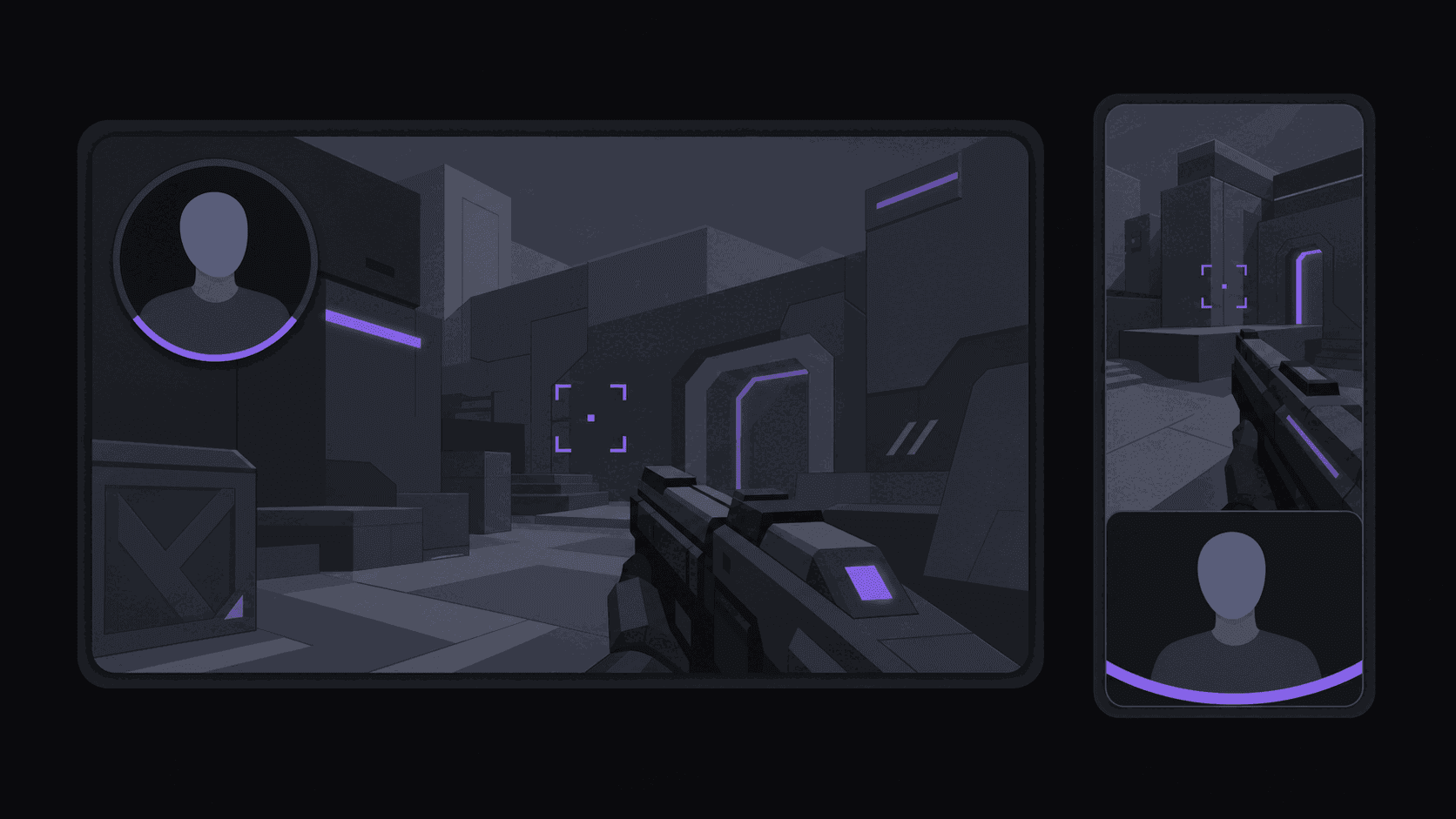
A note on gaming layouts specifically: a stream frame has a facecam in one corner and gameplay filling the rest, and a straight vertical crop throws away one or the other. What you want is a split layout that keeps the streamer's reaction on screen alongside the gameplay, because in reaction-driven clips the face is the content. That is the single biggest quality difference between a stream clip that looks intentional and one that looks like someone cropped a rectangle out of a screenshot. Gaming clip automation covers the rest of the setup.
Frequently Asked Questions
Yes, and it is the norm — the clipping ecosystem exists because streamers benefit from it. What you owe is credit on screen and in the caption, and removal if a streamer asks. Streamers are generally the most clipper-friendly creators online, but that goodwill depends on attribution.
Streams are billed differently from uploaded video. Rather than charging for every source minute, only the top highlight segments are processed, so a multi-hour Twitch or Kick stream typically runs 35-90 credits. Source length limits still apply: two hours on Starter, five on Pro, ten on Scale.
Twitch retains VODs for 14 or 60 days depending on the streamer's account status, then deletes them. There is no permanent archive unless the streamer exports to YouTube themselves. Prioritize streamers who do, and treat anything near the expiry window as urgent.
20-45 seconds for most moments. Stream clips usually need a few seconds of setup before the payoff lands, which is longer than a comedy clip needs but shorter than an educational one. Reaction moments can be very short; anything requiring a build-up sits at the top of the range.
Work sideways rather than starting at the top. Browse mid-size categories rather than the front page, check who your existing streamers collaborate with, and watch for accounts whose clips get posted by their own community — that is a signal the material is clippable. Streamers in the 2,000-15,000 concurrent range are the sweet spot: enough moments to work with, few enough clippers to compete with.
Usually yes. The streamer pool is far less clipped, retention policies are generally friendlier, and the same tooling covers both. The audience is smaller, so raw ceilings are lower, but the competition-to-opportunity ratio is much better for someone starting now.
Related Articles
See also
Stop Scrubbing Six-Hour VODs
Add your streamers once and new VODs get clipped, reframed with facecam split layouts, and captioned automatically — multi-hour streams typically cost just 35-90 credits.
Get started for free