AI Clip Generator for YouTube Shorts (2026 Guide)
Updated
What a clip generator does for YouTube Shorts
YouTube Shorts has become a significant discovery surface for creators who primarily publish long-form content. The path from a three-hour interview to a sixty-second Short that drives 200,000 views is exactly the conversion that a clip generator is designed to facilitate — but the process involves more than just cutting a short clip from the long video.
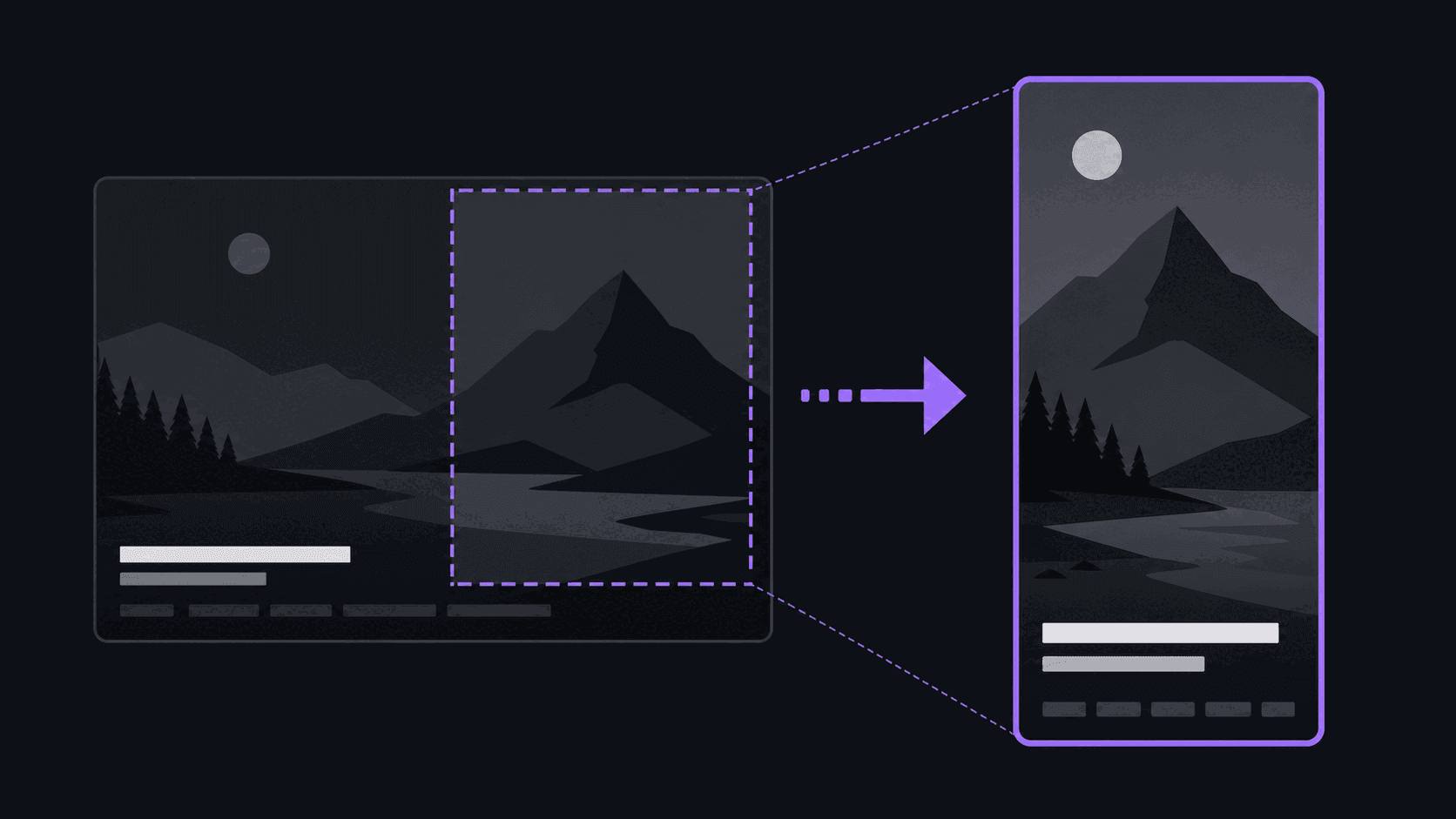
YouTube Shorts has specific technical requirements that affect how clip generators need to produce output. The video must be vertical — 9:16 aspect ratio at 1080x1920 pixels. The audio must be clear and the content must stand alone without requiring the viewer to have seen the source video. Captions are strongly recommended because a significant percentage of Shorts are watched without sound.
A clip generator handles the mechanical parts of this conversion: it takes the long-form horizontal source video, selects a moment that will work as a standalone short clip, reframes it to 9:16 using either a static crop or face-tracking technology, and generates captions from the audio transcription. The result is a vertical clip that technically meets Shorts requirements without requiring you to open a video editor.
The part the generator does not handle is the judgment about whether the moment selected is genuinely the best moment to represent your channel to the Shorts algorithm. AI scoring picks moments that correlate with general engagement signals; whether those moments specifically serve your channel's growth goals on Shorts is a human editorial decision that the review step provides.
For channels that have a substantial catalog of long-form content and have not yet distributed that content to Shorts, a clip generator is the fastest path to a functioning Shorts library from existing material.
YouTube Shorts requirements that clip generators need to meet
Producing clips that meet YouTube Shorts technical requirements is not complicated, but it is worth knowing what the requirements are so you can verify the generator is meeting them.
Aspect ratio: 9:16. A 16:9 clip uploaded to Shorts will either letterbox (black bars on the sides) or be cropped by the platform in an unpredictable way. Both are worse than a proper 9:16 vertical. Most clip generators produce native 9:16 output; confirm this before using any tool that does not explicitly state it.
Resolution: 1080x1920 (full HD vertical) is the standard expectation. The platform accepts lower resolutions, but 720p clips are noticeably lower quality in the Shorts feed compared to 1080p content from other creators. Some clip generators default to 720p on lower-tier plans. If you are publishing to YouTube Shorts, confirm the resolution on your plan level.
Maximum length: 3 minutes (since October 2024). Clips shorter than 60 seconds are fine; Shorts does not have a minimum length. The 3-minute cap means a clip generator does not need to constrain itself to 60 seconds, but most effective Shorts are under 90 seconds in practice — completion rate, not the technical cap, determines what performs.
File format: MP4 with H.264 or HEVC encoding is standard. Most clip generators produce MP4 output compatible with YouTube's requirements without any additional conversion.
Audio: Stereo audio at 44.1kHz is the standard. If your source video has audio issues — heavy compression artifacts, a noisy floor, clipping — those will appear in the Short. The clip generator does not clean up source audio.
Captions: Not technically required, but consistently recommended for performance. A significant portion of Shorts viewers watch without sound. Captions make the content accessible to that audience and improve watchability across different viewing contexts.
How to get the best YouTube Shorts output from a clip generator
The quality of the clips a generator produces from your long-form content is partly determined by the tool's AI and partly by choices you make about source material and configuration.
Source video quality matters. A clip generator works with the video you give it. If the source has poor audio quality, heavy compression artifacts, or framing that does not translate well to a vertical crop, the generator will produce lower-quality output than it would from clean source material. Your best clips will come from source videos that were recorded with Shorts distribution in mind: clear audio, a speaker in the center of the frame, and composition that survives a vertical crop.
Configure for single-speaker detection when possible. For sources with a primary speaker, tools that support face tracking will produce better vertical crops than static crops. Face tracking keeps the speaker in frame as they move; static crops can frame the speaker out when they shift position.
Check the first two seconds of every clip. The Shorts algorithm heavily weights early viewer retention. A clip that starts mid-sentence or before the relevant context begins will lose viewers in the first two seconds at a higher rate than a clip that opens with the key moment clearly established. Adjust start points on any clip where the AI opened at the wrong moment.
Review captions on technical content. Transcription accuracy on technical vocabulary, product names, and proper nouns is the most common failure point on AI-generated content captions. A caption that misspells the name of a product or person looks unprofessional and in some cases changes the meaning of the clip. Correcting these before posting takes two minutes per clip and is consistently worth the time.
Use the score ranking as a starting point, not a final ranking. The AI-scored clips in your dashboard are ranked by a signal that does not know your audience or your channel's current momentum on Shorts. A clip that scored fourth in the AI's ranking may be the best fit for your posting strategy today. Trust your editorial judgment on the final selection.
Posting clips directly to YouTube Shorts from a generator
A clip generator that produces YouTube Shorts-compatible files and also posts them directly to your YouTube channel is meaningfully more efficient than one that requires you to download and manually upload.
The direct posting integration handles the upload step — selecting the clip, writing or confirming the title and description, and scheduling or immediately publishing. For a creator who generates four clips from a single video session, the manual upload alternative involves four separate YouTube Studio upload sessions, each with its own title, description, thumbnail, and visibility settings. The time cost is real.
When evaluating direct posting integrations for YouTube Shorts specifically, check:
Scheduled posting: Can you set a future publish time, or only immediate posting? A scheduling feature lets you distribute clips across the week from a single production session rather than posting everything at once.
Title and description defaults: Does the tool pre-populate a title and description from the clip content, or do you write them from scratch? AI-generated titles and descriptions from the clip transcript save time and can be good starting points even if you edit them.
Thumbnail handling: YouTube Shorts does not prominently feature custom thumbnails in the Shorts feed, but they matter for the non-Shorts surfaces where your Shorts appear — search results, your channel page, and recommendation carousels. Check whether the tool allows you to set a custom thumbnail or auto-selects one.
Account connection requirements: Confirm what OAuth permissions the tool requires to post to your YouTube channel. Legitimate tools require only the specific permission scopes needed for posting and never request account management or deletion permissions.
Frequently Asked Questions
A clip generator for YouTube Shorts should produce native 9:16 vertical output at 1080p, include accurate caption generation with timing that matches the speech, use face-tracking reframe rather than static crop for talking-head content, and support direct posting to YouTube so you do not need to manually upload each clip. Moment selection quality — whether the AI finds clips that actually work as standalone Shorts — is the most important criterion and the one that varies most between tools.
Under 60 seconds is the conventional recommendation for reach, though the technical cap since October 2024 is 3 minutes. Shorts under 60 seconds tend to have higher completion rates, which is the engagement signal YouTube weighs most heavily in Shorts distribution. For content where the moment genuinely earns a 90-second clip, that length is fine — optimizing to an arbitrary cutoff point when the content is not there hurts completion rate more than the length hurts distribution.
Several AI clip generators support direct posting to YouTube Shorts through OAuth integration with your YouTube account. AutoClip supports posting to YouTube Shorts, TikTok, Instagram Reels, LinkedIn, X/Twitter, and Pinterest from the same dashboard. Platforms without current integration support in most tools include Reddit, Snapchat, and Twitch.
Light review is standard — checking that the clip starts and ends at the right point, verifying caption accuracy, and confirming the clip works as a standalone piece of content. Deep manual editing is usually unnecessary when the AI found a strong moment with clean boundaries. The main decision is curation: of the clips the generator returns, which are worth posting versus discarding.
AI clip generators transcribe the source audio and score transcript windows using a model trained on engagement patterns — sentence structure, emotional intensity, audience-cue phrases, and speaking-rate signals. High-scoring windows become clip candidates. The selection considers both score and distribution across the video runtime so the returned clips are not five variations of the same moment. The scoring reflects general engagement patterns, not what specifically works for your channel's audience.
Related Articles
See also
Generate YouTube Shorts from your long-form videos
AutoClip processes your YouTube uploads, finds the high-scoring moments, and posts them directly to your YouTube Shorts channel — in minutes, not hours.
Get started for free